
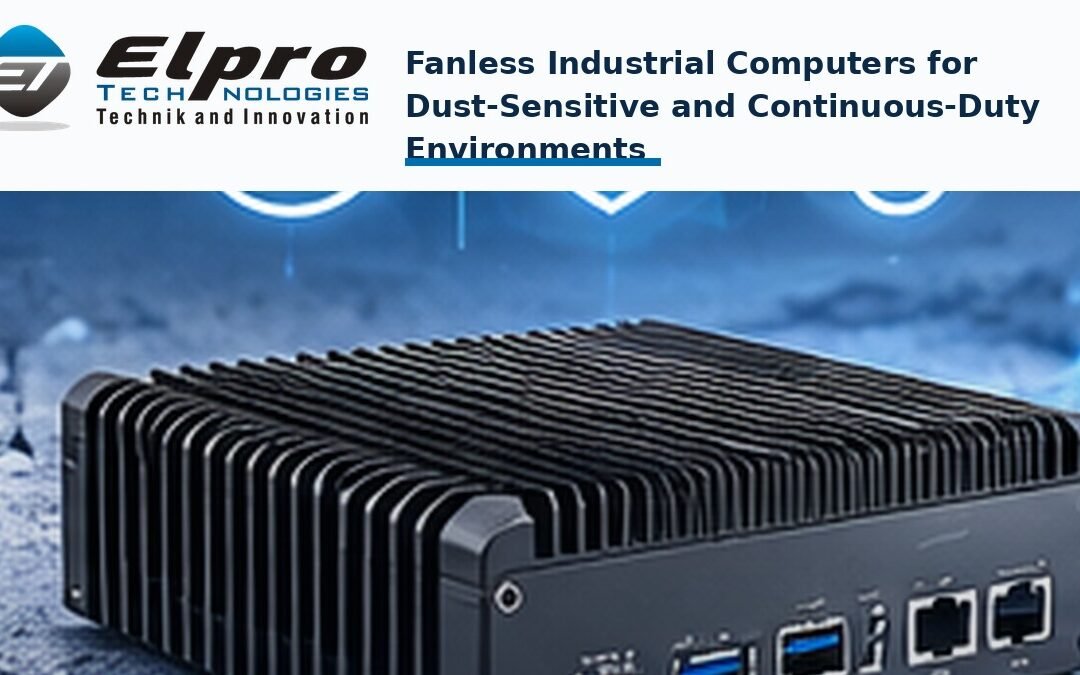
Passive cooling can simplify some industrial installations, but a successful fanless computer selection depends on matching sustained workload to the actual thermal path.
A Different Approach to Cooling Industrial Computing
Fanless industrial computers use a passive heat path rather than a conventional internal cooling fan. Heat moves from the processor and other components through a heatsink or conductive chassis into the surrounding air or mounting structure. This design can reduce moving parts and limit the amount of dust pulled through a computer. It is especially relevant where maintenance access is restricted, but passive cooling still has clear thermal limits that must be respected.
Understand the Real Benefits and Boundaries
Removing an internal fan can reduce one mechanical wear component and may simplify cleaning requirements. It does not make a computer indestructible, sealed against every contaminant or automatically suitable for high ambient temperatures. The enclosure must dissipate the heat generated by the selected processor and workload. A low-power fanless unit may be ideal for data acquisition, while a demanding vision workload may require a larger thermal design or a different cooling approach.
Thermal Design Starts with the Installation
A datasheet temperature range is only one part of the decision. Cabinet temperature, mounting orientation, available clearance, enclosure surface area and nearby heat sources all influence performance. A fanless computer mounted flat against an insulating panel may behave differently from the same model mounted with open airflow around its fins. Test the proposed configuration in its final position under sustained workload.
Select the Processor Around Sustained Demand
Processor selection should account for application behavior over time, not just short bursts. Consider CPU utilization, graphics, memory bandwidth, storage activity and expansion cards. If the system performs machine vision or edge analytics, benchmark the complete application and watch for thermal throttling. It is better to choose a balanced platform with adequate headroom than a high-power component that cannot sustain its rated performance in the chosen enclosure.
Dust, Vibration and Electrical Conditions
A fanless chassis can reduce dust intake through an internal fan path, but connectors, seams and cable openings still matter. Review ingress protection, vibration and shock ratings, input power range and grounding. In electrical cabinets, evaluate transient conditions, electromagnetic noise and the separation of signal and power cables. Use the manufacturer’s stated installation guidance rather than assuming the absence of a fan defines environmental protection.
Mounting, Heat Transfer and Service Access
DIN-rail, wall, VESA and other mounting approaches may be available depending on the computer family. Maintain the specified clearance around heatsink surfaces and avoid covering thermal fins. Plan access to power, network and serial connectors so service work does not require dismantling unrelated equipment. In sealed cabinets, calculate internal heat load and consider cabinet cooling if several devices operate together.
Product Families and Connected Equipment
Fanless computing may be available as compact box PCs, embedded systems, Panel PCs, DIN-rail gateways or industrial motherboards. A complete installation may also need SSD storage, memory, serial expansion, network switching and a separate touchscreen. Compare the cooling approach with the workload and cabinet layout. Related industrial PCs and industrial computer platforms provide alternatives when expansion or processing demand changes.
Qualification Before Standardizing
Run a thermal soak test at the expected ambient temperature with the intended software, peripherals and enclosure. Record temperatures, performance, restarts and any throttling. Validate power interruption recovery and network behavior, then document the approved mounting orientation. Where local analytics are required, compare edge AI computers; for mobile maintenance, consider rugged tablets; and for shared operator access, review touchscreen kiosk systems.
Related Industrial Product Categories
- Fanless industrial box PCs
- DIN-rail fanless computers
- Embedded fanless computers
- Fanless Panel PCs
- Industrial motherboards
- Industrial SSD storage
- Multi-LAN gateways
- Serial and I/O expansion modules
Explore Related Elpro Technologies Solutions
Explore rugged tablet PCs for industrial field operations, touchscreen kiosk systems, industrial PC solutions, industrial computer platforms and industrial edge AI computers to understand related computing options across connected industrial environments.
Frequently Asked Questions
What is fanless industrial computers used for?
They are used for machine control support, data acquisition, monitoring, gateways, operator interfaces and embedded applications where a fanless thermal design is appropriate.
Which industries commonly use fanless industrial computers?
Manufacturing, process plants, utilities, transportation, kiosks and equipment OEMs may use fanless computers where dust exposure or maintenance access makes passive cooling attractive.
How should a buyer define the required configuration?
Define the workload, processor, ambient temperature, mounting orientation, enclosure, required I/O, storage, power input, vibration and available thermal clearance.
How do processor and memory requirements affect selection?
Choose a processor whose sustained power and performance fit the chassis thermal capacity. A high peak specification does not guarantee sustained performance in a compact passive enclosure.
Which interfaces should be checked before ordering?
Check Ethernet, USB, serial, display, storage and expansion interfaces against the machine and peripherals. Confirm connector location and compatibility with required accessories.
Can this equipment connect with PLC, SCADA or MES systems?
Yes, if the operating system, drivers and protocol software support the connected PLC or SCADA platform. Verify the exact controller and test communication under expected load.
What operating-system and software checks are important?
Confirm supported OS versions, BIOS features, drivers, watchdog support and application requirements. Keep a tested software image and update plan for long-running installations.
How should temperature and environmental conditions be assessed?
Temperature and airflow are critical. Consider cabinet heat, dust, humidity, vibration, mounting orientation and whether heatsink surfaces remain unobstructed.
Is the equipment suitable for continuous operation?
It can be, when the selected configuration is rated and thermally validated for the actual duty cycle and environment. A sustained thermal test is recommended.
Can the solution be integrated into an existing installation?
Usually, if the existing mounting, power, I/O and network requirements are compatible. Check cabinet clearance and thermal conditions before installation.
What should be tested before commissioning?
Run a thermal soak under sustained workload, test power recovery, network traffic, storage activity and peripheral communication, and confirm there is no unexpected throttling.
What information should be shared when requesting a quotation?
Provide application workload, processor preference, OS, ambient temperature, mounting method, cabinet dimensions, I/O, storage, power and expected duty cycle.
Elpro Technologies
ELPRO TECHNOLOGIES
Technik and Innovation
#43, 2nd Cross Road, P&T Colony, R.T. Nagar, Bengaluru – 560032
sales@elprotech.in | info@elprotech.in
+91-8892147021 | +91-8892147023
www.elprotech.in