
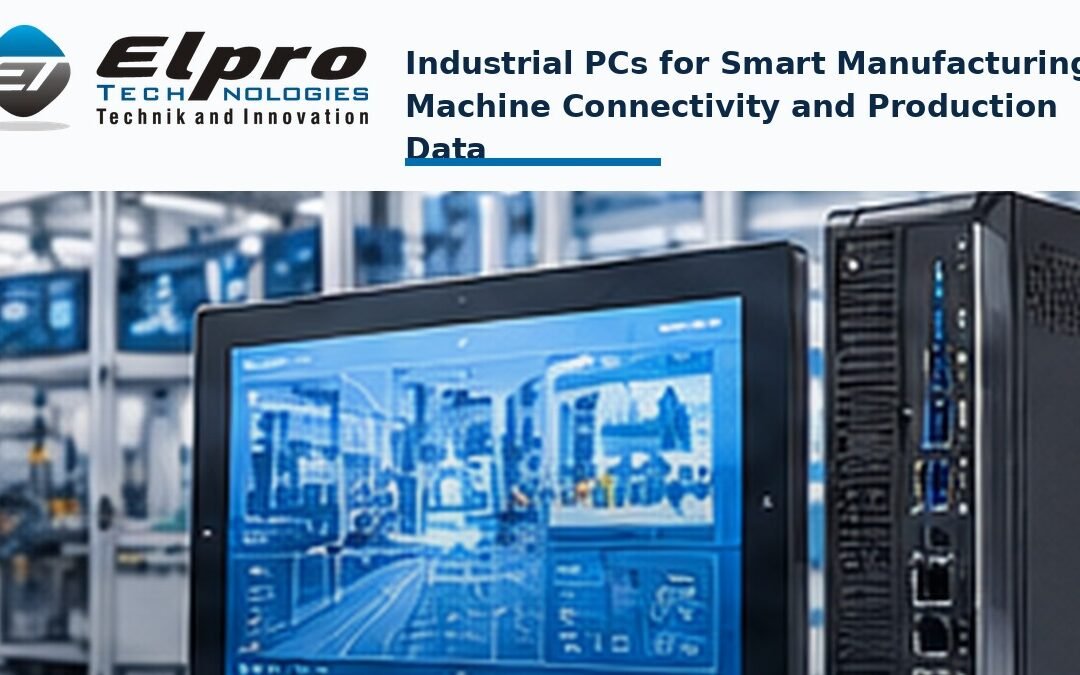
Reliable industrial computing begins with the process it must support, from machine connectivity and traceability to data recovery and day-to-day maintenance.
Computing That Belongs on the Production Floor
An industrial PC is often the bridge between a machine’s physical operation and the software that monitors, records or improves it. It may run a machine interface, collect production data, host a vision application or connect legacy equipment to a modern manufacturing network. The strongest selection process starts with the task and installation environment, then works backward to processor, storage, I/O, enclosure and lifecycle requirements.
Translate Production Needs into a Hardware Brief
Before comparing models, describe the application in operational terms. Identify which software must run, how many devices connect, what data is captured, how quickly it must be processed and what happens during a restart. Record available cabinet space, mounting method, power source, ambient temperature and service access. This brief gives engineering, procurement and maintenance teams a shared basis for evaluating a system.
Processor, Memory and Expansion Planning
A computer used for a lightweight dashboard does not need the same platform as one running machine vision, local databases or several virtualized services. Select processor performance from measured application demand, and size memory for the operating system plus peak application use. Expansion slots and internal connectors should be planned early for serial cards, additional LAN, storage, graphics or specialized I/O.
Storage, Logging and Recovery
Production data can create frequent writes, especially when the system stores images, logs or traceability records. Estimate capacity, retention period and write intensity before selecting an SSD. Define a backup image, application installer set and recovery procedure. If production depends on the computer, keep a tested replacement strategy so a hardware failure does not turn into a lengthy software reconstruction exercise.
Connectivity Across Machines and Systems
Industrial PCs may connect to PLCs, drives, barcode readers, printers, cameras, displays and plant networks. Prepare a port map that includes Ethernet speed, number of network interfaces, serial standards, USB versions and display requirements. Where network separation is required, design it deliberately with the IT and OT teams. Confirm protocol and driver compatibility with the actual equipment.
Mechanical Design and Operating Conditions
The physical environment can determine whether a platform is suitable. Evaluate dust, vibration, shock, temperature, humidity, electrical noise and cabinet ventilation. A fanless chassis may reduce moving parts, while an actively cooled computer can support higher thermal loads when airflow is maintained. Consider how the device is mounted and whether connectors remain accessible after installation.
Selecting the Right Industrial Computer Family
The available product families may include compact box PCs, rackmount systems, fanless embedded computers, GPU-enabled platforms, industrial motherboards and Panel PCs. A separate operator display may be preferable where the computer is mounted inside a cabinet, while an integrated Panel PC can simplify a machine station. Review industrial PC options, industrial computer platforms and edge AI computing against the same application brief.
Commissioning for Long-Term Production Use
Validate the computer with the real software, connected peripherals and expected production load. Check startup, watchdog behavior, network recovery, thermal stability, backup restoration and access permissions. Keep a configuration record covering BIOS, OS image, drivers, application versions and network settings. For mobile service teams, rugged industrial tablets can complement fixed computers, while touchscreen kiosks can support shared information points.
Related Industrial Product Categories
- Fanless industrial box PCs
- Rackmount industrial computers
- Industrial Panel PCs
- GPU-enabled industrial PCs
- Industrial motherboards
- Multi-LAN computers
- Industrial SSDs and memory
- Serial and I/O expansion cards
Explore Related Elpro Technologies Solutions
Explore rugged tablet PCs for industrial field operations, touchscreen kiosk systems, industrial PC solutions, industrial computer platforms and industrial edge AI computers to understand related computing options across connected industrial environments.
Frequently Asked Questions
What is industrial pcs used for?
Industrial PCs run software for machine monitoring, data collection, operator interfaces, traceability, machine vision, local databases and communication between production equipment and higher-level systems.
Which industries commonly use industrial pcs?
They are used across manufacturing, automotive, electronics, packaging, pharmaceuticals, utilities, logistics and process plants, depending on application demands and environmental conditions.
How should a buyer define the required configuration?
List the software, compute load, interfaces, storage, mounting, power, ambient conditions, duty cycle and support expectations. Include all connected peripherals and the recovery plan.
How do processor and memory requirements affect selection?
Processor and memory should be sized to the real application workload, including simultaneous services and future software requirements. Benchmark the complete application where possible.
Which interfaces should be checked before ordering?
Check Ethernet, USB, serial, display, storage, expansion, digital I/O and any fieldbus requirements. Confirm connector layout and driver support for each connected device.
Can this equipment connect with PLC, SCADA or MES systems?
Yes, when protocols, drivers and network architecture are compatible. Confirm PLC model, SCADA software, data rates, addressing and behavior during communication interruptions.
What operating-system and software checks are important?
Verify operating-system version, drivers, application certification, security updates, licensing and long-term vendor support. Preserve a tested system image for recovery.
How should temperature and environmental conditions be assessed?
Consider temperature, dust, moisture, vibration, shock, electrical noise and cabinet airflow. Review the published ratings of the complete configured system and installation.
Is the equipment suitable for continuous operation?
Continuous operation is possible when the model and configuration are designed for the duty cycle and validated under expected thermal and electrical conditions. Establish monitoring and maintenance practices.
Can the solution be integrated into an existing installation?
Usually, if the required interfaces, protocols, mounting space and security controls can be accommodated. A site survey and interface map help identify integration constraints.
What should be tested before commissioning?
Test the production application, peripherals, network traffic, storage writes, thermal behavior, restart, power interruption and restore process before handing the system to operations.
What information should be shared when requesting a quotation?
Provide the software workload, processor and memory needs, OS, I/O list, storage, mounting, input power, environment, duty cycle, quantity and expected lifecycle.
Elpro Technologies
ELPRO TECHNOLOGIES
Technik and Innovation
#43, 2nd Cross Road, P&T Colony, R.T. Nagar, Bengaluru – 560032
sales@elprotech.in | info@elprotech.in
+91-8892147021 | +91-8892147023
www.elprotech.in